


Description
Download Media Player Classic 98 Me – Robust Media Player, Lightweight, Portable, DivX Support
Overview
Media Player Classic 98 Me is a dedicated media playback solution designed for users seeking reliable audio and video support on older Windows systems. The application serves as a lightweight alternative to default media players, offering enhanced compatibility with a wide range of file formats without requiring additional codecs. It is particularly suited for individuals who value performance efficiency and minimal system footprint, especially those working with legacy hardware or restricted software environments. The app addresses the common challenge of format incompatibility by supporting formats such as WAV, MP3, MP4, AVI, and DivX, ensuring broad media accessibility across different sources.
Target users include tech-savvy individuals, retro computing enthusiasts, and professionals managing multimedia content on older machines. Its portability makes it ideal for users who prefer not to install software permanently, allowing direct execution from a USB drive or folder. The developer did not provide additional technical details, but the app’s focus on compatibility and performance suggests a deliberate design for stability and ease of use. In the broader context of the media player ecosystem, Media Player Classic 98 Me fills a niche by delivering consistent playback without bloat, maintaining relevance even decades after its release.
Key Features & Functionality
- Wide Format Support: The app supports multiple audio and video formats, including WAV, MP3, MP4, AVI, and DivX, enabling playback of both modern and legacy media files without external dependencies.
- No Installation Required: Users can run the application directly from a folder or removable drive, making it highly portable and ideal for shared or restricted computing environments.
- Full Customization Options: Playback settings allow users to adjust resolution, window size, and display preferences, which is beneficial when connecting to external displays like TVs or projectors.
- Optimized for DivX Playback: The player is specifically tuned to deliver smooth playback of DivX-encoded videos, ensuring high-quality viewing with minimal resource usage.
- Lightweight Performance: Built with efficiency in mind, the app consumes minimal system resources, making it suitable for older hardware with limited processing power and memory.
For example, a user managing a collection of archived video files in AVI and DivX formats can play them directly without conversion. Similarly, a presenter using a borrowed laptop can run the player from a USB drive to display media during a meeting, avoiding software conflicts. These real-world scenarios highlight the app’s practicality in both personal and professional settings.
Interface, UX & Performance
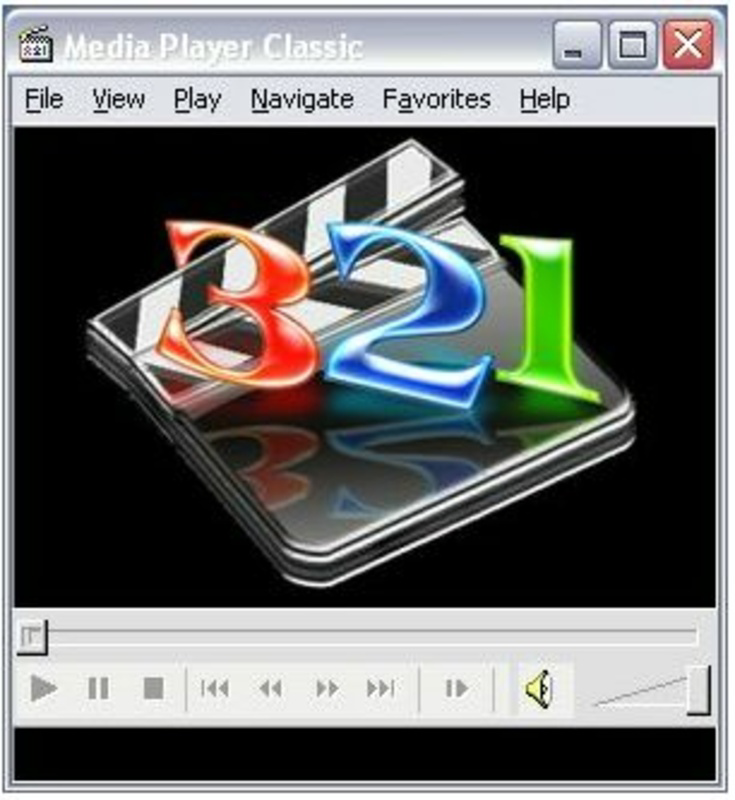
Media Player Classic 98 Me features a minimalistic interface that prioritizes functionality over visual embellishment. The layout is straightforward, with playback controls, volume adjustment, and basic navigation clearly organized. Users can toggle between windowed and full-screen modes with ease, and the visual style reflects the design standards of early 2000s software, emphasizing clarity and responsiveness.
Navigating through media files is intuitive, with support for drag-and-drop functionality and direct file opening via context menus. Although the developer did not list formal performance metrics, the app’s lightweight nature suggests consistent performance across various hardware configurations, including systems with older CPUs and limited RAM. Responsiveness remains stable during playback, with minimal lag or stuttering, even on lower-end machines.
Stability is a notable aspect, as the app maintains consistent playback across multiple file types without frequent crashes. However, compatibility with newer Windows versions may be limited, and the developer did not specify minimum OS requirements. Users should exercise caution when running the app on modern systems due to potential security and compatibility concerns.
Platform Compatibility & Technical Requirements
Media Player Classic 98 Me is designed for Windows operating systems, though specific platform details such as OS version or architecture were not provided. The app is distributed as a single executable file, indicating it does not require installation and can be launched directly from any directory.
The file size is not listed in the provided information, but given its lightweight nature and lack of installation, it is expected to be small in size. The developer did not specify minimum system requirements, making it difficult to determine compatibility with newer or older hardware. Users should verify the app’s behavior on their specific system before use, especially when running on updated Windows versions.
Pros and Cons
Pros
- Supports a wide range of audio and video formats without additional codecs
- Portable—no installation required, ideal for USB drives or shared systems
- Lightweight and efficient, suitable for older or low-resource hardware
- Customizable playback settings for resolution and display size
- Optimized for DivX and legacy video formats
Cons
- Compatibility with modern Windows versions is uncertain
- No official updates or support since its release in 2006
- Outdated interface may not appeal to modern users
- Limited documentation or user guidance provided
- Security risks may exist due to lack of updates and support
FAQ
Is Media Player Classic 98 Me safe to download and use?
While the app has been widely used in the past, its last update was in 2006. As such, it may pose security risks on modern systems due to the absence of ongoing support and patches.
Can I use Media Player Classic 98 Me on Windows 10 or Windows 11?
Compatibility is not guaranteed. The developer did not specify support for newer Windows versions, and users may encounter issues with system integration or security policies.
Does Media Player Classic 98 Me require codecs to play videos?
No, the app is designed to play a broad range of formats natively, including MP4, AVI, DivX, and MP3, without needing additional codec packs.
How do I install Media Player Classic 98 Me?
The app does not require installation. Simply download the executable file and run it directly from a folder or USB drive.
Is there a mobile version of Media Player Classic 98 Me?
There is no indication of a mobile version. The app is designed exclusively for Windows desktop systems.
Final Thoughts
Media Player Classic 98 Me remains a functional tool for users with older systems or specific needs for lightweight, portable media playback. Its ability to handle diverse formats without installation makes it a practical choice for retro computing, temporary setups, or environments where software installation is restricted. While it lacks modern features and support, its core functionality is reliable for its intended audience.
For those managing legacy media files or working on older hardware, the app offers a stable, no-frills solution. However, users on modern systems should proceed with caution due to potential security and compatibility concerns. If you’re seeking a simple, efficient way to play audio and video files on a Windows PC without installing software, Media Player Classic 98 Me is worth considering.
Download Media Player Classic 98 Me now
Guides & Tutorials for Media Player Classic 98 Me
How to install Media Player Classic 98 Me
- Click the Preview / Download button above.
- Once redirected, accept the terms and click Install.
- Wait for the Media Player Classic 98 Me download to finish on your device.
How to use Media Player Classic 98 Me
This software is primarily used for its core features described above. Open the app after installation to explore its capabilities.
User Reviews for Media Player Classic 98 Me 0
No reviews found


